
TESDA Logo: Complete Guide to Meaning, Downloads, and Proper Usage
The Symbol That Represents Filipino Skills Excellence
Here’s something you might not think about often: Every institution that matters has a visual identity that tells its story at a glance. The Nike swoosh means athletic excellence. The Apple logo suggests innovation. The Red Cross symbolizes humanitarian aid.
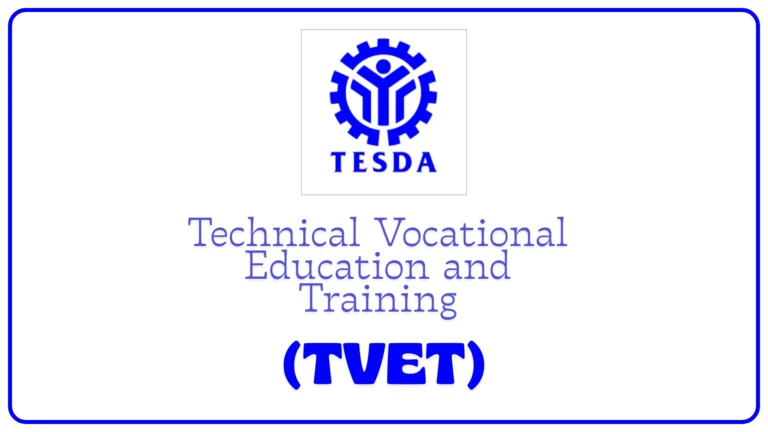
And in the Philippines, when you see that distinctive TESDA logo—the stylized figure reaching upward surrounded by circular elements—you’re looking at the visual representation of 2+ million Filipinos trained annually, countless lives transformed, and the nation’s commitment to technical-vocational excellence.
Whether you’re a TESDA student needing the logo for a presentation, a designer working on training materials, an institution requiring proper branding, or simply curious about what those symbols actually mean—this guide covers everything you need to know about the TESDA logo, from its deeper meaning to where you can legally download it.
Let me walk you through the visual language of Philippine skills development, because understanding this logo means understanding TESDA’s mission itself.

Understanding the TESDA Logo: Meaning and Symbolism
The TESDA logo meaning isn’t arbitrary design choices thrown together. Every element carries specific significance.
TESDA Courses for Abroad: The Ultimate Guide to In-Demand NC II & NC III Certifications
The Central Figure: Reaching for Excellence
What You See: A stylized human figure with arms raised upward
What It Means:
- Aspiration: Reaching for better opportunities
- Achievement: Celebrating success and accomplishment
- Growth: Personal and professional development
- Empowerment: Individuals taking control of their futures
- Victory: Triumph over poverty and limited opportunities
The Symbolism: This figure represents every Filipino—from the farmer in Isabela to the OFW in Dubai to the single mother in Metro Manila—who chooses skills training as their pathway to better life. It’s you. It’s millions like you. It’s the collective aspiration of a nation.
The Circular Elements: Unity and Wholeness
What You See: Concentric circles or curved elements surrounding the central figure
What It Means:
- Inclusivity: TESDA serves all Filipinos regardless of background
- Completeness: Holistic skills development approach
- Protection: Safe, supportive learning environment
- Unity: Bringing together trainers, students, industry, government
- Continuous improvement: Ongoing cycle of learning and growth
The Design Logic: Circles have no beginning or end—representing TESDA’s continuous commitment to Filipino workforce development. The protective embrace of these elements suggests support and guidance throughout the learning journey.
The Color Palette: Official TESDA Colors
Primary Colors:
Blue (Dominant Color)
- Represents: Trust, stability, professionalism, competence
- Psychology: Inspires confidence in TESDA’s training quality
- Cultural: Associated with government authority and reliability
Red (Accent Color)
- Represents: Energy, passion, determination, action
- Psychology: Motivates learners to take bold steps
- Cultural: Filipino resilience and courage
White (Background/Contrast)
- Represents: Clarity, transparency, new beginnings
- Psychology: Clean slate for learning
- Practical: Ensures logo visibility across applications
Gold/Yellow (Sometimes Present)
- Represents: Excellence, achievement, value
- Psychology: Aspirational quality
- Cultural: Filipino pride and success
| Color | Hex Code | RGB Values | CMYK Values | Pantone |
|---|---|---|---|---|
| TESDA Blue | #0033A0 | R:0 G:51 B:160 | C:100 M:68 Y:0 K:37 | PMS 286 C |
| TESDA Red | #ED1C24 | R:237 G:28 B:36 | C:0 M:88 Y:85 K:7 | PMS 185 C |
| White | #FFFFFF | R:255 G:255 B:255 | C:0 M:0 Y:0 K:0 | – |
Note: Always verify current official color specifications from TESDA branding guidelines as these may be updated.
The Ultimate Guide to TESDA Training Centers, Courses, and Contact Information Nationwide
The Typography: Official TESDA Text
“TESDA” Lettering:
- Bold, clear, professional typeface
- All caps for authority and visibility
- Clean sans-serif design for modern appeal
- Proportional spacing for readability
Full Name (When Included): “Technical Education and Skills Development Authority”
- Smaller, supportive text
- Often appears below main logo
- Provides full institutional identity
- Establishes government authority
The Overall Composition: Design Philosophy
Balance: The logo achieves visual equilibrium—not too busy, not too simple. Professional enough for government documents, approachable enough for student materials.
Scalability: Works at business card size or billboard dimensions. That’s intentional design—ensuring consistent brand recognition regardless of application.
Memorability: The upward-reaching figure is distinctive and easy to recall. You see it once, you recognize it forever. That’s effective branding.
Versatility: Functions in full color, single color, black and white, reversed (white on dark background). This adaptability makes it practical for real-world use.
TESDA Logo Download: Where to Get Official Files
Looking for TESDA logo download options? Here’s your guide to acquiring legitimate files.
Official Download Sources
1. TESDA Official Website
Best For: Highest quality, most current files
How to Access:
- Visit tesda.gov.ph (official TESDA website)
- Navigate to “About Us” or “Downloads” section
- Look for “Logo” or “Branding Assets”
- Download available formats
- Follow any usage guidelines provided
Typical Available Formats:
- PNG (various resolutions)
- JPEG/JPG
- PDF (vector-based)
- Sometimes AI or EPS files
2. TESDA Regional/Provincial Offices
Best For: Official requests, large projects
Process:
- Email or visit TESDA office
- Request logo files for specific use
- Explain your project/purpose
- May require official letter for commercial use
- Receive files via email or digital media
3. Government Open Data Portals
Best For: Public domain assets
Sources:
- Philippine government open data initiatives
- Official government branding repositories
- Check data.gov.ph for available assets
The Ultimate Guide to TESDA Requirements: Enrollment, Certification, and Center Accreditation
File Format Guide
PNG (Portable Network Graphics)
Best For:
- Digital presentations
- Website use
- Social media graphics
- Email signatures
- Documents with varied backgrounds
Advantages:
- Transparent background (TESDA logo transparent PNG)
- High quality
- Web-optimized
- Widely compatible
When to Choose PNG: Need logo on various colored backgrounds, web use, digital documents
JPEG/JPG
Best For:
- Photos incorporating logo
- Print materials when file size matters
- Quick sharing
Limitations:
- No transparency (white background typical)
- Slight quality loss with compression
- Not ideal for professional documents
Vector Formats (AI, EPS, PDF, SVG)
Best For:
- Professional printing
- Large format (banners, billboards, signage)
- Design projects requiring customization
- Any size scaling without quality loss
Advantages:
- TESDA logo vector infinitely scalable
- Perfect for professional designers
- Print-ready quality
- Editable (with proper permissions)
When to Choose Vector: Professional design work, large-scale printing, when ultimate quality matters
PSD (Photoshop Document)
Best For:
- Complex graphic design projects
- Layered editing needs
- Professional design workflows
Availability:
- Less commonly provided
- May require special request
- Professional designer use primarily
TESDA Logo PNG: Everything About Transparent Files
The TESDA logo PNG with transparency is the most versatile and commonly sought format. Here’s what you need to know.
Why PNG with Transparency Matters
The Problem with Non-Transparent Logos: Imagine placing a logo with white background on dark blue document. You get an ugly white box around the logo. Unprofessional. Distracting. Wrong.
The PNG Transparent Solution: Transparent background means logo blends seamlessly into any colored backdrop—white documents, colored presentations, photographs, dark websites, busy designs.
Resolution Options
Web Resolution (72 DPI)
- Size: Typically 500-1000 pixels wide
- File size: 50-200 KB
- Best for: Websites, social media, email, digital presentations
- Quality: Good for screens, poor for printing
Print Resolution (300 DPI)
- Size: 2000-5000 pixels wide minimum
- File size: 500 KB – 5 MB
- Best for: Printed materials, professional documents, publications
- Quality: Professional print quality
High Definition (HD)
- Size: 5000+ pixels wide
- File size: 5-20 MB
- Best for: Large format printing, banners, billboards
- Quality: Crisp at any reasonable size
How to Use Transparent PNG Properly
In Microsoft PowerPoint:
- Insert → Pictures
- Select PNG file
- Logo appears with no background
- Resize as needed
- Maintains quality
In Microsoft Word:
- Insert → Pictures → PNG file
- Right-click → Wrap Text → “In Front of Text” or “Behind Text”
- Position anywhere on document
- Scales cleanly
On Websites:
<img src="tesda-logo.png" alt="TESDA Logo" width="200">
Transparent background ensures logo works on any site design.
In Graphic Design Software: Opens with transparency intact in:
- Adobe Photoshop
- GIMP
- Canva
- CorelDRAW
- Affinity Designer
TESDA Logo Usage Guidelines: Dos and Don’ts
Understanding TESDA logo guidelines ensures you use it correctly and legally.
Official Usage Rules
Who Can Use the TESDA Logo:
Authorized Users:
- TESDA offices and training centers (official use)
- TESDA-accredited institutions (with proper authorization)
- TESDA partners and contractors (with permission)
- Students and graduates (for portfolios, resumes—limited use)
- Media organizations (for news/editorial content)
- Researchers and academics (educational purposes with attribution)
Restricted/Prohibited Users:
- Businesses implying TESDA endorsement without authorization
- Competitors or alternative training providers
- Political campaigns (TESDA is non-partisan)
- Commercial products without permission
- Misleading or deceptive uses
The Complete Guide to TESDA Scholarships: How to Get Your Allowance and Train for Free
Proper Usage Dos
✓ DO: Maintain Proportions Never stretch or squeeze logo. Width-to-height ratio must remain constant.
✓ DO: Use Adequate Clear Space Minimum space around logo equals height of the upward-reaching figure. No text or graphics in this zone.
✓ DO: Use Official Colors When using color version, match official color codes exactly. No “close enough” colors.
✓ DO: Ensure Legibility Logo should never be smaller than 0.5 inches (1.27 cm) in print or 50 pixels on screen.
✓ DO: Use High-Quality Files Blurry, pixelated logos look unprofessional and disrespect the brand.
✓ DO: Place on Appropriate Backgrounds Ensure sufficient contrast. Dark blue logo needs light background; white logo needs dark background.
Improper Usage Don’ts
✗ DON’T: Alter Colors Don’t make logo pink, green, or any unauthorized color. Use approved color versions only.
✗ DON’T: Rotate or Tilt Logo should always be upright. Tilted logos look unprofessional.
✗ DON’T: Add Effects No drop shadows, glows, bevels, embossing, or other Photoshop effects. Keep it clean.
✗ DON’T: Rearrange Elements Don’t separate text from symbol, don’t move elements around, don’t “improve” the design.
✗ DON’T: Place on Busy Backgrounds Logo should never compete with complex background images or patterns. Use solid colors or subtle backgrounds only.
✗ DON’T: Combine with Other Logos Improperly When using with other institutional logos, maintain clear separation and proper hierarchy.
✗ DON’T: Use Old/Outdated Versions Always use current official logo. Old versions suggest outdated association.
✗ DON’T: Imply False Endorsement Never use logo to suggest TESDA endorses your product, service, or organization without written permission.
TESDA Logo History: Evolution Over Time
The TESDA logo history reflects the institution’s evolution since 1994.
Original TESDA Logo (1994-2000s)
When TESDA Was Established: August 25, 1994 (Republic Act 7796)
Early Branding: Initial logos focused on establishing government authority and technical education identity. Design reflected 1990s graphic design trends—more literal, less abstract than current version.
Color Scheme: Traditional government blue and red, emphasizing official status.
Evolution and Refinements
Mid-2000s Updates: Logo underwent refinements to modernize appearance while maintaining core elements:
- Cleaner lines
- Better scalability for digital use
- Simplified elements for versatility
- Enhanced color contrast
Rationale: As TESDA expanded and digital media grew, logo needed to function across more applications—from photocopied documents to websites to mobile apps.
Unlocking Your Career: A Guide to TESDA Jobs, UTPRAS, and the CTPR System
Current TESDA Logo
Modern Version: The logo you see today represents decades of refinement:
- Bold, confident design
- Excellent digital reproduction
- Works across all media
- Instantly recognizable
- Professional yet approachable
Why It Works: Balances government authority with accessibility. Looks official on policy documents, friendly on student certificates, professional on international presentations.
The TESDA Slogan Integration
“Sa TESDA, Lingap ay Maasahan” (In TESDA, Care Can Be Relied Upon)
When Used with Logo: Sometimes appears below or alongside logo, reinforcing TESDA’s commitment to:
- Student welfare
- Quality training
- Support services
- Trustworthy education
Design Harmony: Slogan typography complements logo design, creating unified brand identity.
TESDA Logo Contest: Community Engagement
TESDA occasionally holds TESDA logo contests or design competitions, engaging the creative community.
Purpose of Logo Contests
Community Involvement: Invites Filipinos to contribute to TESDA’s visual identity, fostering ownership and pride.
Fresh Perspectives: Designers bring new ideas, contemporary aesthetics, and innovative approaches.
Public Awareness: Contests generate media attention, raising TESDA visibility among those unfamiliar with technical-vocational education.
Talent Development: Provides platform for Filipino designers to showcase skills, especially students and emerging creatives.
Typical Contest Structure
Call for Entries:
- Announced through TESDA channels, social media, partner institutions
- Clear submission guidelines and deadlines
- Eligibility criteria (often open to Filipino citizens)
Design Requirements:
- Reflects TESDA mission and values
- Scalable and versatile
- Original work
- Appropriate for government institution
- Sometimes specific themes (anniversary, campaign)
Judging Criteria:
- Creativity and originality
- Relevance to TESDA mission
- Technical quality
- Versatility across applications
- Memorability
Prizes:
- Cash awards
- Certificates of recognition
- Portfolio opportunities
- Sometimes adoption of winning design for specific campaigns
Notable TESDA Design Competitions
While official main logo is established, TESDA has held contests for:
- Campaign-specific logos (special programs, anniversaries)
- Mascot designs (engaging younger audiences)
- Promotional graphics (various initiatives)
- Training center signage (local customization within brand standards)
Impact: These contests engage creative community while maintaining consistent main brand identity. Winning designs often used in targeted campaigns alongside official logo.
How to Download TESDA Logo: Step-by-Step
Practical TESDA logo download guide for various needs.
For Students and Graduates
Purpose: Portfolio, resume, certificates, personal projects
Steps:
- Visit TESDA official website (tesda.gov.ph)
- Navigate to Downloads or About section
- Look for “Logo” or “Branding Materials”
- Choose appropriate format:
- PNG transparent for most uses
- High resolution for print
- Download file
- Save to organized folder
- Use responsibly per guidelines
Alternative Method:
- Contact your training center
- Request logo files from coordinator
- Explain intended use
- Receive files via email
For Designers and Media
Purpose: Professional projects, publications, marketing materials
Recommended Approach:
- Official Request:
- Email TESDA communications/public affairs office
- Explain project and logo use
- Request vector files (AI, EPS, or high-res PDF)
- Await official response with files and guidelines
- Website Download:
- If vector files available on website, download
- Review any accompanying usage guidelines
- Follow specifications precisely
- Verification:
- Ensure files are current official version
- Check color accuracy
- Confirm proper formatting
For Institutions and Partners
Purpose: Official materials, partnership documentation, co-branded items
Formal Process:
- Written Request:
- Official letter to TESDA requesting logo use
- Explain partnership nature and specific use cases
- Attach mockups if available
- Memorandum of Agreement (MOA):
- If formal partner, MOA may include logo usage rights
- Specify permitted applications
- Define restrictions
- File Receipt:
- TESDA provides complete branding package
- May include multiple formats and variations
- Comes with comprehensive usage guidelines
- Approval Process:
- Submit designs using logo for approval before production
- Especially for large-scale or public-facing materials
- Allows TESDA to ensure appropriate use
Common Download Issues and Solutions
Problem: Can’t Find Logo on Website Solution: Website structure changes. Try site search function for “logo” or “download,” or contact TESDA directly.
Problem: Downloaded File Won’t Open Solution: May need specific software (Adobe for AI/EPS files). Convert to PNG/PDF or use alternative software like GIMP (free).
Problem: Logo Looks Blurry Solution: Downloaded low-resolution file. Request higher resolution version or vector format.
Problem: Background Not Transparent Solution: Downloaded JPG instead of PNG. Get PNG version with transparency.
Problem: Colors Look Wrong Solution: Monitor color calibration or incorrect file. Verify using official color codes with color picker tool.
TESDA Logo for Different Applications
Practical guidance on using TESDA logo across various contexts.
For Academic Presentations
Ideal Format: PNG transparent (300 DPI if printing, 72 DPI if digital only)
Placement:
- Title slide (top right or center)
- Footer of subsequent slides (small, consistent)
- Thank you slide (centered or prominent)
Size Guidelines:
- Not dominating (this isn’t about TESDA, it’s about your content)
- Clearly visible
- Proportional to other elements
Best Practices:
- Use on slides with adequate contrast
- Maintain consistent placement throughout deck
- Acknowledge TESDA in verbal presentation if relevant
For Certificates and Credentials
Format: High-resolution PNG or vector (print quality essential)
Typical Placement:
- Top center (official certificates)
- Top left or right with other institutional seals
- Watermark style in background (subtle, light opacity)
Design Considerations:
- Size indicates authority without overwhelming document
- Official color version for color certificates
- Grayscale version for black-and-white printing
- Always paired with proper TESDA text/attribution
For Websites and Digital Media
Format: PNG transparent (optimized for web—usually under 100KB)
Common Uses:
- Header logo linking to TESDA information
- Footer attribution
- Partner/accreditation section
- Blog post images (when discussing TESDA)
Technical Specs:
- Alt text: “TESDA Logo” or “Technical Education and Skills Development Authority Logo”
- Clickable link to tesda.gov.ph (if appropriate)
- Responsive sizing for mobile devices
- Lazy loading for page speed
For Print Materials
Format: Vector (AI, EPS, PDF) or ultra-high-res PNG (minimum 300 DPI)
Applications:
- Brochures
- Flyers
- Posters
- Business cards
- Letterheads
- Certificates
- Banners
Print Considerations:
- CMYK color mode for print (not RGB)
- Minimum size maintaining legibility
- Bleed area consideration for full-bleed designs
- Color matching with Pantone specifications
For Social Media
Format: PNG transparent (square or sized for platform)
Platform-Specific Sizing:
- Facebook posts: 1200 x 630 px
- Twitter/X posts: 1200 x 675 px
- Instagram posts: 1080 x 1080 px
- LinkedIn: 1200 x 627 px
- Profile pictures: Minimum 180 x 180 px
Social Media Best Practices:
- Logo should be secondary to main content
- Used when content relates to TESDA
- Tagged @TESDAOFFICIAL (if applicable)
- Appropriate context and messaging
Frequently Asked Questions About TESDA Logo
Q: Can I use the TESDA logo on my resume or portfolio?
A: Yes, with appropriate context.
If you’re a TESDA graduate or completed TESDA training, you can include the logo on your resume to indicate certification, typically:
- In education section next to TESDA credential
- On certificates section
- Small, professional placement
- Not implying current employment or endorsement
Don’t: Use logo as if you work for TESDA or represent the organization unless you actually do.
Q: Is the TESDA logo copyrighted or trademarked?
A: Yes, it’s protected intellectual property.
As an official government seal/logo, TESDA logo is protected by:
- Copyright law (artistic work)
- Trademark protections (institutional identity)
- Government regulations on official seals
Unauthorized commercial use can result in legal action. Non-commercial, educational, and fair use typically permitted, but when in doubt, request permission.
Q: Can I modify the TESDA logo for my project?
A: No, modifications generally prohibited.
Don’t:
- Change colors
- Alter proportions
- Add effects
- Rearrange elements
- Combine with other graphics in misleading ways
- Create derivative versions
If you need customized design incorporating TESDA association, work with TESDA directly on approved approach.
Q: Where can I find the TESDA logo in vector format?
A: Official TESDA channels are best source.
Primary sources:
- TESDA official website downloads section
- Direct request to TESDA communications office
- Official partnerships may include vector files in branding package
Why vector matters: Infinitely scalable without quality loss—essential for professional design and large format printing.
Q: What’s the difference between TESDA logo PNG and JPG?
A:
PNG (Recommended):
- Transparent background available
- No quality loss (lossless compression)
- Better for logos and graphics
- Slightly larger file size
JPG:
- Usually has white/colored background
- Some quality loss with compression
- Smaller file size
- Better for photographs
For logo use: PNG strongly preferred, especially transparent PNG.
Q: Can I use TESDA logo on commercial products?
A: Generally no, without explicit written permission.
Using TESDA logo on products for sale implies government endorsement, which requires official authorization. This includes:
- T-shirts, merchandise
- Books, publications
- Training materials for sale
- Services marketed as TESDA-approved
- Any commercial offering
Educational or informational use (news articles, academic research, legitimate training center materials with proper accreditation) typically acceptable.
Always verify: When uncertain, contact TESDA for clarification.
Best Practices for TESDA Logo Usage
For TESDA Students and Graduates
Appropriate Uses:
- Portfolios: Show your TESDA certification alongside logo
- Resumes: Indicate TESDA training in education section
- LinkedIn: List TESDA credentials with proper attribution
- Personal websites: Showcase certifications in professional credentials section
Usage Tips:
- Keep logo small and tasteful
- Use in context of your actual TESDA training
- Don’t imply ongoing affiliation if you’ve simply completed training
- Link to TESDA website when possible for verification
For Training Centers and Institutions
If TESDA-Accredited:
- Display logo prominently showing accreditation
- Use on marketing materials with accreditation number
- Include in certificates issued to students
- Feature on website with link to TESDA
- Follow all official branding guidelines
Requirements:
- Current accreditation status (expired accreditation = can’t use logo)
- Proper context (always clarify you’re accredited by TESDA, not TESDA itself)
- Approval of materials using logo (for major campaigns)
For Media and Publications
News and Editorial:
- Fair use typically applies
- Logo used to identify TESDA in stories
- Proper attribution always required
- High-quality images showing respect
Marketing and Advertising:
- If promoting TESDA programs: coordinate with TESDA
- If educational advertising: ensure accuracy
- Never implying false endorsement
The Future of TESDA Branding
As TESDA evolves, so might its visual identity, though core logo likely remains stable.
Potential Future Developments:
- Digital-first variations optimized for apps and mobile
- Animated versions for video content
- Interactive elements for digital platforms
- Accessibility enhancements for inclusive design
- Augmented reality integration for modern applications
Consistency Matters: Even as new applications emerge, maintaining recognizable core identity ensures continued brand strength and trust.
Final Thoughts: Respecting the Symbol
The TESDA logo represents more than graphic design. It symbolizes:
- Millions of Filipinos trained and certified
- Pathways out of poverty
- National commitment to workforce excellence
- Bridge between unemployment and meaningful careers
- Filipino resilience and determination to improve lives
When you use this logo, you’re associating with that legacy.
Use it respectfully. Use it accurately. Use it legally. Use it proudly if you’ve earned that connection through TESDA training.
And if you’re just researching or downloading for legitimate purposes—now you know not just where to get it, but what it means and how to use it properly.
That understanding makes all the difference.